Why your Shopify fashion store converts at 1.9% and why outfits change the outcome

If you run a fashion store on Shopify, you’ve probably felt it:
Traffic shows up.
Shoppers browse.
And then… they leave.
Benchmarks put “style & fashion” at an average 1.9% conversion rate, while breaking 4.3% puts you among the best-performing stores in that vertical.
That gap is the story.
Because it isn’t just about “better marketing” or “more SKUs.” It’s about what happens after someone lands on your store and tries to answer a deceptively hard question:
What should I wear?
Fashion eCommerce doesn’t fail because people don’t like products
Fashion eCommerce fails because most stores ask shoppers to do the hardest part themselves.
We make shoppers:
- choose items one-by-one
- imagine how they go together
- guess what looks “right” for an occasion
- keep a mental budget while comparing pages
- wonder if something will even be in stock in their size
And meanwhile, they’re usually doing all of that on a small screen, in a distracted moment, with a short attention span.
That’s not a product discovery problem.
That’s a styling problem.
Shoppers don’t want a shirt. They want a look.
A shopper rarely wakes up thinking:
“I want a green ribbed long-sleeve top.”
They think:
“I need something for a friend’s wedding, not too formal.”
“I need a casual weekend outfit under ₹3,000.”
“What goes with this shirt?”
Those are outfit-level needs. Most stores only sell at item-level.
When the shopper has to do the “outfit assembly,” they feel uncertainty and uncertainty kills conversion.
Ready to upgrade your wardrobe?
Get the Elara app for AI-powered styling and virtual try-ons.
What changes when you recommend outfits instead of products
Outfit recommendations flip how the shopping journey works.
Instead of: browse → pick items → hope it works
You give shoppers: a complete look → a confident decision → a shoppable set
That’s the entire thesis behind Elara for Commerce.
Elara is an AI styling widget fashion brands install via the Shopify App Store. The setup is designed to be no-code and take about 15 minutes: a brand installs, grants read-only permissions to core store data, and the widget can generate complete, shoppable outfits built from the brand’s live catalog (in stock, available in the shopper’s size, within the shopper’s budget).
Most importantly: Elara recommends outfits, not products.
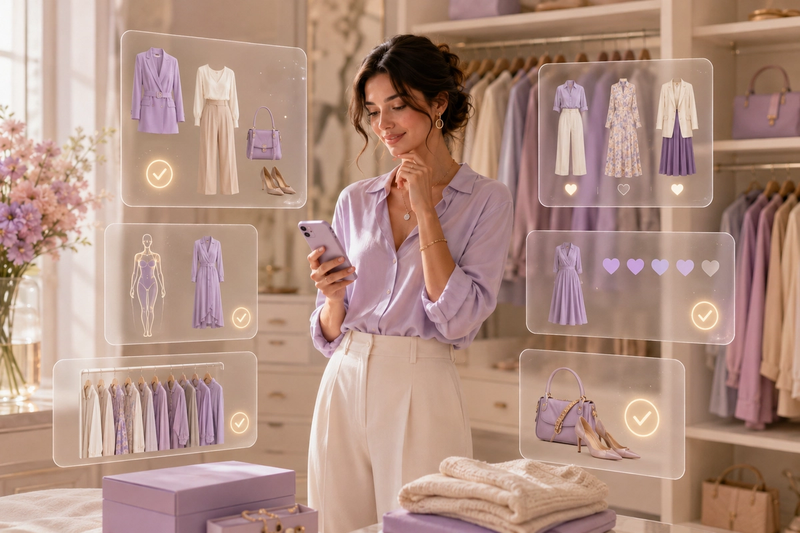
A shopper doesn’t get “a shirt.” They get a full look: top, bottom, footwear, accessories - each item linking to its product page.
Why this is different from “chat” and different from “recommendations”
A lot of “AI shopping” experiences are either:
- a chatbot that answers policy questions, or
- a product carousel that says “you may also like…”
Elara is positioned as neither.
It’s a styling engine that takes plain-language intent and returns complete looks, then refines those looks in multi-turn conversation (“make it more formal,” “darker color,” “more minimal”).
That matters because search and carousels still ask a shopper to assemble the outfit in their head.
Styling does not.
A conversion lift you can understand without overpromising
No one should promise you “perfect outfits every time,” because that’s not how real people shop.
But the logic is straightforward: When you reduce decision effort and increase confidence, more sessions turn into purchases and more purchases include multiple items.
That’s the difference between participating in the 1.9% benchmark and pushing toward the 4.3%+ tier.
The real takeaway
If your store converts at 1.9%, don’t treat it like a personal failure. Treat it like a sign that shoppers need help converting “I need something to wear” into “I’m buying this look.”
Outfits are the missing bridge. And if you can install that bridge in minutes, without rewriting your store or rebuilding merchandising workflows, you don’t just add a widget.
You change what the store feels like - from a product catalog to a stylist-led experience.
Schedule a Demo now: https://calendar.app.google/76dpsNrcWStmxTwo9
Your AI Stylist is Here.
live on the App Store & Google Play
Available on iOS and Android for seamless access anytime, anywhere.